Why Kotlin Developers Love Sealed Classes for UI States?


If you have built Android apps for a while, you have probably written UI code that looks like this:
if (isLoading) {
    showLoading()
} else if (error != null) {
    showError(error)
} else if (data != null) {
    showContent(data)
}
At first, this feels fine.
Then the screen grows. You add empty states, Retry states, Pagination, Offline mode, Validation errors, and Partial content. Suddenly, your UI state is scattered across multiple booleans and nullable values.
That is where Kotlin sealed classes feel almost magical.
They let you model UI state as a clear, limited set of possibilities.
Instead of asking, “Which combination of flags is currently true?”, your code asks a better question:
“What state is the screen in right now?”
The Problem with Boolean-Based UI State
A common beginner approach is to represent UI state like this:
data class UserUiState(
    val isLoading: Boolean = false,
    val user: User? = null,
    val errorMessage: String? = null
)
This works, but it allows impossible states.
For example:
UserUiState(
    isLoading = true,
    user = User("Alex"),
    errorMessage = "Something went wrong"
)
Is the screen loading? Did it succeed? Did it fail?
The data structure is unknown. It allows all three at once.
That means every Composable, Fragment, or View has to interpret the state and hope everyone follows the same rules.
Sealed classes solve this by making invalid states impossible.
What Is a Sealed Class?
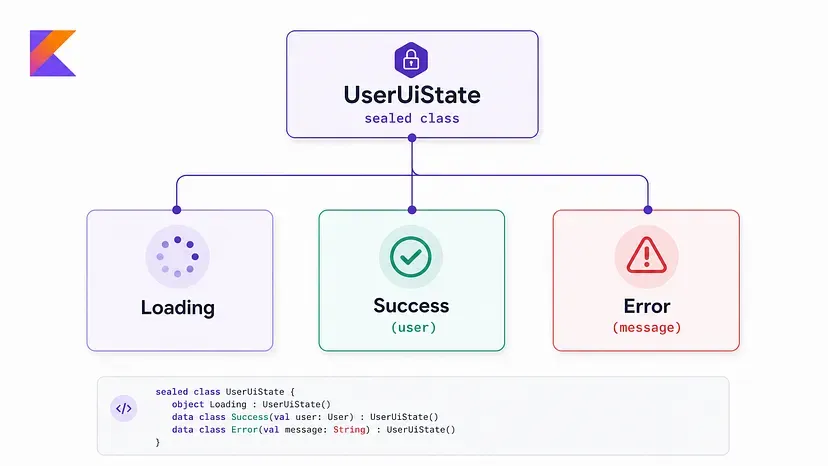
A sealed class in Kotlin represents a restricted hierarchy. In simple terms, it lets you define a fixed set of types that belong together.
sealed class UserUiState {
    data object Loading : UserUiState()
    data class Success(val user: User) : UserUiState()
    data class Error(val message: String) : UserUiState()
}
Now the UI can only be in one of these states:
Loading Success Error No weird combinations. No guessing. No nullable maze.
Why This Feels So Good in UI Code?
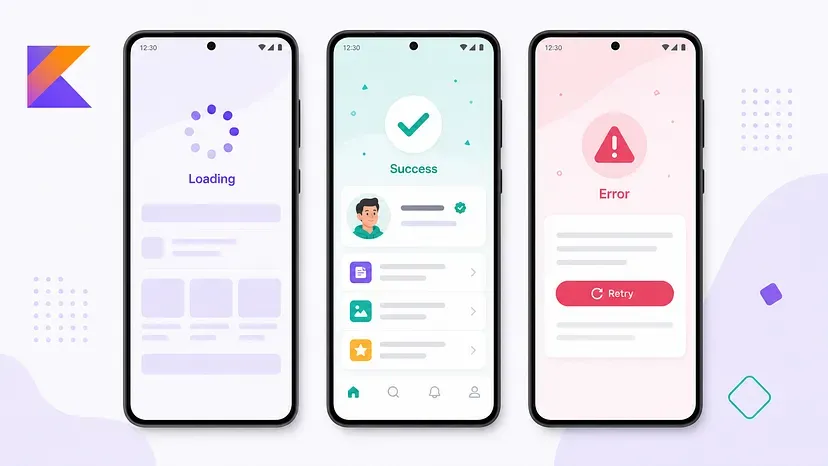
The biggest win is clarity.
Your UI rendering becomes direct and readable:
@Composable
fun UserScreen(uiState: UserUiState) {
    when (uiState) {
        is UserUiState.Loading -> {
            LoadingView()
        }

        is UserUiState.Success -> {
            UserProfile(user = uiState.user)
        }

        is UserUiState.Error -> {
            ErrorView(message = uiState.message)
        }
    }
}
This reads almost like a product spec:
When loading, show loading. When successful, show profile. When it fails, show an error. That is exactly how UI state should feel.
Exhaustive when Is the Secret Sauce
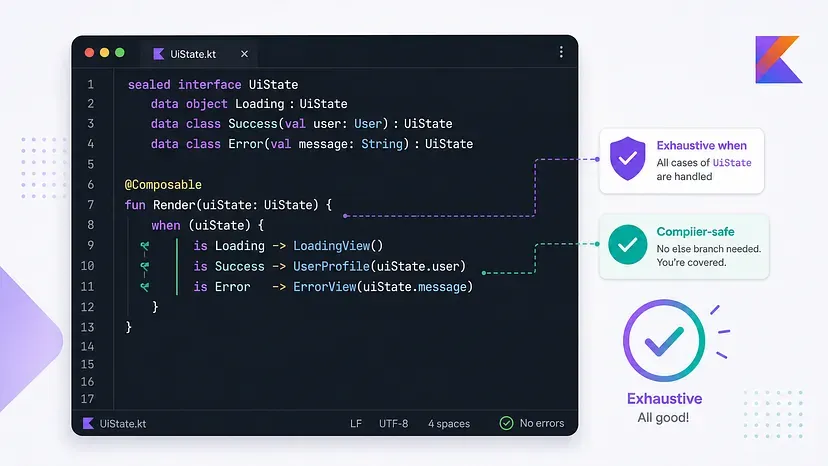
One of the best parts of sealed classes is that Kotlin understands all possible subclasses.
So if you later add a new state:
data object Empty : UserUiState()
Kotlin can warn you that your when expression does not yet handle it.
when (uiState) {
    is UserUiState.Loading -> LoadingView()
    is UserUiState.Success -> UserProfile(uiState.user)
    is UserUiState.Error -> ErrorView(uiState.message)
    // Kotlin reminds you: what about Empty?
}
That compiler feedback is huge.
Instead of discovering missing UI states through QA or user reports, you catch them while writing code.
Perfect Fit for ViewModel State
Sealed classes pair beautifully with StateFlow.
class UserViewModel(
    private val repository: UserRepository
) : ViewModel() {

    private val _uiState =
        MutableStateFlow<UserUiState>(UserUiState.Loading)

    val uiState: StateFlow<UserUiState> = _uiState

    fun loadUser() {
        viewModelScope.launch {
            _uiState.value = UserUiState.Loading

            try {
                val user = repository.getUser()
                _uiState.value = UserUiState.Success(user)
            } catch (e: Exception) {
                _uiState.value = UserUiState.Error(
                    e.message ?: "Something went wrong"
                )
            }
        }
    }
}
And in Jetpack Compose:
@Composable
fun UserRoute(viewModel: UserViewModel) {
    val uiState by viewModel.uiState.collectAsStateWithLifecycle()

    UserScreen(uiState = uiState)
}
Clean ViewModel. Clean UI. A clear contract between them.
@Composable
fun UserRoute(viewModel: UserViewModel) {
    val uiState by viewModel.uiState.collectAsStateWithLifecycle()

    UserScreen(uiState = uiState)
}
Sealed Interfaces Work Too
In modern Kotlin, you may also see sealed interfaces:
sealed interface UserUiState {
    data object Loading : UserUiState
    data class Success(val user: User) : UserUiState
    data class Error(val message: String) : UserUiState
}
For many UI state cases, sealed interfaces and sealed classes both work well.
Use a sealed class when you want shared constructor state or common behavior. Use a sealed interface when you want a closed set of possible types.
For UI state, sealed interfaces are often a nice, lightweight choice.
A More Realistic UI State
Real screens usually need more than loading, success, and error.
For example:
sealed interface ArticlesUiState {
    data object Loading : ArticlesUiState

    data object Empty : ArticlesUiState

    data class Success(
        val articles: List<Article>,
        val isRefreshing: Boolean = false
    ) : ArticlesUiState

    data class Error(
        val message: String,
        val canRetry: Boolean = true
    ) : ArticlesUiState
}
This is expressive without becoming chaotic.
The screen can clearly represent:
- Initial loading
- Empty result
- Loaded content
- Refreshing existing content
- Error with retry behavior
The important part is that each state has only the data it needs.
Why Developers Prefer This Pattern
Kotlin developers love sealed classes for UI states because they give you:
- Type safety — The compiler understands your UI states.
- Better readability — State rendering becomes simple and declarative.
- Fewer invalid states — You avoid confusing combinations of booleans and nullable fields.
- Easier refactoring — Add a new state, and Kotlin helps you update the affected UI.
- Better Compose compatibility — Compose works best when UI is a function of state, and sealed classes model that state beautifully.
When Not to Use Sealed Classes
Sealed classes are great, but they are not required everywhere. For very small UI pieces, a simple data class may be enough:
data class SearchUiState(
    val query: String = "",
    val results: List<Result> = emptyList()
)
If your state is mostly continuous data, use a data class.
If your screen has distinct modes, such as loading, success, empty, and error, sealed classes are usually a better fit.
Final Thoughts
Sealed classes make UI state feel intentional.
They help you move from fragile combinations of states to a clear model of what the screen can actually be. That is why Kotlin developers reach for them again and again, especially in Android apps using ViewModels, StateFlow, and Jetpack Compose.
A good UI state model does not just make the code cleaner.
It makes the screen easier to reason about.
And in real-world apps, that is a very big deal.


by Nandagopal Ravichandran
Nanda Gopal is a Technical Lead and Senior Android Developer with expertise in Kotlin, Jetpack Compose, and modern Android development. He has hands-on experience designing and delivering enterprise-grade mobile applications, solving complex technical challenges, and driving engineering best practices. His interests include AI-assisted software development, mobile architecture, and helping developers understand complex concepts through practical examples.


