


In many Maximo implementations, you expect a workflow task to land with one clear owner, usually the default person in a Person Group (for example, the planner, supervisor, or on-call lead). But sometimes, even when the Person Group and workflow look correct, the assignment doesn’t behave as expected. The Work Order might show up in multiple people’s Inboxes, or it may not feel “owned” by anyone, leading to delays and confusion.
A very common reason is one small checkbox in the Roles application: Broadcast.
Issue
The Work Order was not being assigned to the default person in the Person Group, even though both the Person Group and Workflow configurations appeared to be correct.
Investigation
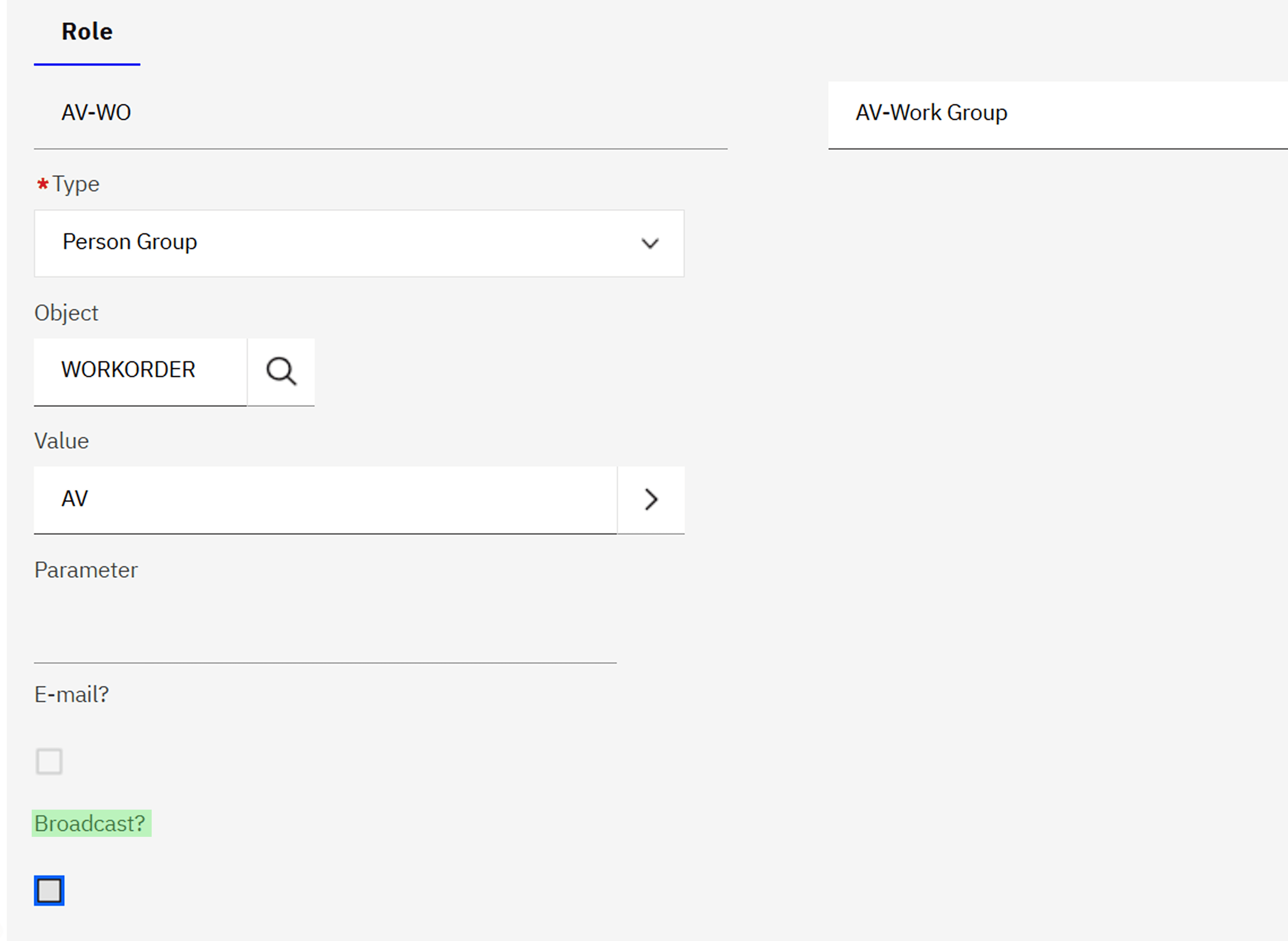
A review of the workflow configuration revealed that the Broadcast option was enabled in the Role utilized for assignments within the workflow.
In IBM Maximo, the Broadcast setting in Roles controls how assignments are handled when a Person Group is referenced:
- When Broadcast = Yes, Maximo sends the assignment to all members of the person group. Each member receives the task in their Inbox/Assignments.
- When Broadcast = No, Maximo assigns the record only to the default person within that person group.
Solution
If the Work Orders are not going to the designated "Default Person," follow these steps:
- Open the Roles Application: Locate the Role utilized by your workflow.
- Check the Broadcast Flag: If "Broadcast" is checked, uncheck it to stop the "All-Hands" routing.
- Verify the Person Group: Ensure the intended recipient is marked as the Group Default (or Site/Org default) in the Person Groups application.
- Re-validate & Activate: After updating the Role, remember to re-validate and enable your workflow process to ensure the changes take effect.
Conclusion
The Broadcast option within workflow roles, though minor, plays a crucial role in defining whether assignments are distributed to all members collectively or directed to a single individual. Understanding how this setting influences workflow behaviour ensures accurate task routing and minimizes confusion in Work Order assignments.


by Bhavani
Bhavani is a Business Analyst with 2.5 years of experience in IBM Maximo, specializing in translating complex business requirements into practical, system-driven solutions. She understands client needs and delivers outcomes that align closely with business objectives and customer expectations.


